



Related: Teletrac Navman App Boosts Mobile Access to Management Tools
Teletrac Navman TN360: Turn Data into Decisions
Teletrac Navman just released its latest and greatest solution: TN360. Work Truck magazine was given a sneak peek into the new solution before it was launched to the public. Check out what we learned.
August 24, 2020
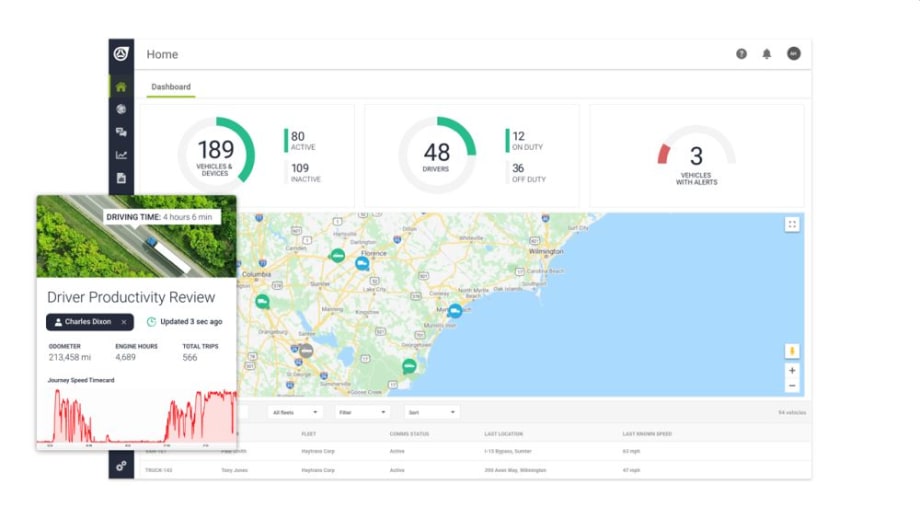
The TN360 homepage provides a quick easy-to-use view of what matters most: active vehicles, on-duty drivers and alerts that need to be addressed. Monitor business efficiency in real-time.
Image: Teletrac Navman
9 min to read
Teletrac Navman just released its latest solution, TN360. The manufacturer has been in business for more than 30 years, starting with RF transmitters for “dot on the map” tracking, then moving systems to the cloud, then developing ELD solutions, and now providing actionable insight for fleets of all sizes.
Today, telematics solutions providers can all do the basics, including tracking your assets and providing nominal data. But fleet managers are still in the throes of data overload.
“Customers want more help to run their businesses today, where they aren’t running the system, the system is helping the business run,” said Marco Encinas, senior product manager for Teletrac Navman. “When developing TN360, we asked ourselves: What’s the next step to change the way we help people run their fleets? Fleet managers are looking to take the massive amounts of data that they get from our software and hardware, as well as from the other business solutions they utilize to help them run. They need more interconnectivity to make sense of all the data.”
Work Truck magazine was given a sneak peek into the new solution before it was launched to the public. Check out what we learned.
Saving Time & Providing Data
In developing TN360, Teletrac Navman focused on two areas – technology and an advanced AI analytical engine.
The system features an in-cab camera as well as a forward-facing and two side-facing cameras to collect a full range of viewpoints. The cameras are built on an artificial intelligence (AI) system, meaning they have AI built into the cameras. They are not only recording video, but analyzing right there, on the edge, in real-time, what is actually happening.
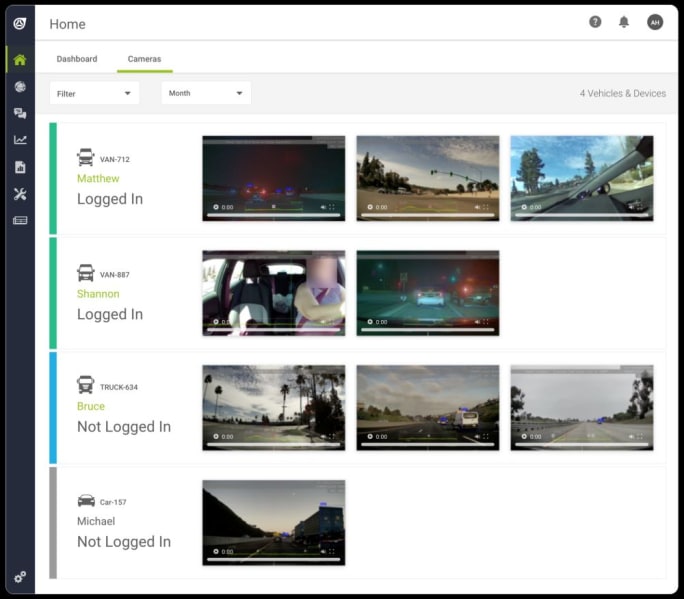
TN360 provides a real time view into all deployed assets enabled with an AI-powered smart dashcam allowing you to be in the passenger seat of every vehicle in your fleet at once.
Image: Teletrac Navman
Traditionally, fleet managers would need to either sit and review through hours of tape or have someone sitting and reviewing streams live. The latest in AI camera tech that Teletrac Navman utilizes records and analyzes data in real-time.
“This system analyzes and processes its environment in real-time giving your back-office staff the ability not to have to monitor video 24-hours a day, but go manage their business and day-to-day activities, and be told when there is an event they have to go look at,” Encinas explained.
The advanced AI analytics engine is where the system truly helps turn data into decisions.
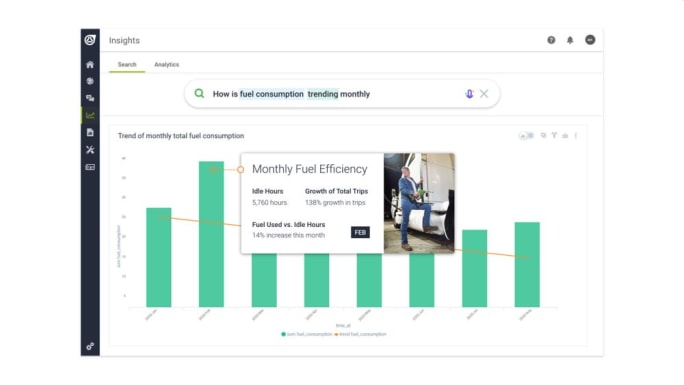
TN360 Insights uses natural language search functions providing users the ability to simply ask the system questions about their business efficiency. No need to spend time analyzing data – quickly turn data into decisions.
Image: Teletrac Navman
Ease of Use
Work Truck’s demo dug into the TN360 test data from a 700-vehicle fleet. The initial dashboard provided immediate information essential to effective fleet management.
At a glance, fleet managers can see the percentage and number of vehicles in operation, drivers on duty, and alerts that require attention. You can dive deeper into each data component with a mouse click to see what vehicles or drivers are not working when they should be, click to see where they are currently, and click a live stream in the cab to see what the driver is doing. A visual map of where your drivers are is also shown.
Tabs on the dashboard can take you to tracking data, messaging, insights, reports, vehicle maintenance, and easy docs.
Tracking. The tracking page provides general tracking data on trips and driver safety in real-time. A virtual drone view provides an up-to-the-second view of where your driver is on a map, and the in-cab view shows you what your driver is doing – from driving safely to eating or talking on a cell phone. You can also see a live view of the external cameras to monitor a driver as they do their commute. The tracking data can also show you if the time spent at a location, such as if the driver stayed too long – or wasn’t there long enough.
“The geofencing overtime and undertime information can help a brand ensure that their drivers or technicians are performing the job in the way the company expects. For example, if a landscaper typically needs to spend at least 30 minutes at a site to provide proper maintenance and care, but leaves after 6 minutes, you can see immediately that your customers may not be getting the service they need. Or, if a driver is spending an hour or more, you can work with them on ways to be more efficient,” Encinas explained.
Messaging. A free form text messaging portal to be able to communicate with the drivers via mobile devices.
Insights. This section provides additional fleet insights that can be asked simply by typing in – or verbally asking – a question. TN360 delivers an intuitive interface to ask advanced analytical queries. A few suggested queries are listed to get you started. Ask questions in your natural flow about anything from changes over time, analyzing top drivers, most used vehicles, and more.
“This is all about empowering you to get more out of your data and get the answers you are seeking,” Encinas said. “It can be simple, such as the top 5 drivers by speed events or more complex inquiries such as growth of trips monthly without having to dig into data.”
The information comes back with a ton of charts that you can dig down deeper into, and that will change immediately based on the updates in your queries. You can easily remove data that may also be skewing your results. Additionally, something I’ve not seen before is heat mapping capabilities. You can see where your drivers are speeding or idling the most based on a map view, or at quick glance the relative time they are spending at locations via the Geofence Duration Hotspots dashboard. This can help you determine if a particular depot is holding things up or if you need drivers to be more aware in a particular region, etc.
Coming very soon to TN360 is the system’s ability to highlight outliers in your data, allowing you to immediately focus on things out of the ordinary in your operations. This is done through the AI machine-learning capabilities of the software by learning your specific patterns of efficiency over time.
Reports. The reports tab is just what you would assume, a list of custom reports ready for you to pull at a moment’s notice, from driver management to camera events to compliance management. And the system was fast! It pulled data based on millions of data points in a quick dashboard view, including charts and graphs that can be filtered and drilled deeper down into.
Vehicle Maintenance. The vehicle maintenance tab is where you can set up customized maintenance tasks for your assets (it doesn’t just have to be tied to the vehicle) and then set up routine maintenance schedules. You can set up and track anything you want for any of your assets, whether Teletrac Navman tracks them or not, and set up the schedules by odometer values, calendar time frame, and engine hours. If it is not an asset where we are able to track the engine hours or mileage, such as a stand-alone compressor or pump, then you would track the maintenance schedule for those items using the calendar.
Easy Docs. TN360 also has an electronic document management feature that digitizes and stores required paperwork, such as depot maps, customer or job information, proof of insurance, certifications etc. TN360 allows your drivers to keep everything they need at his or her fingertips eliminating lost or outdated paperwork. This is essential in any modern-day solution.
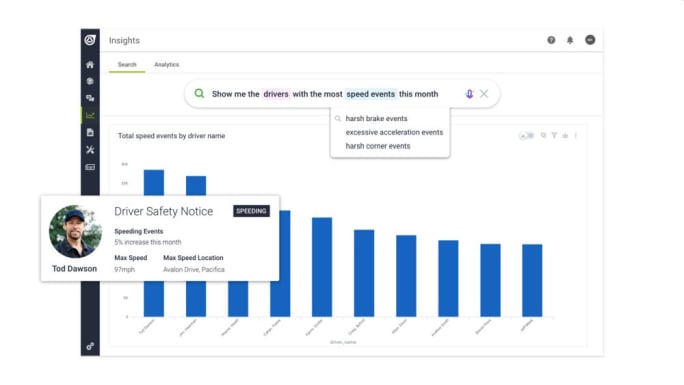
TN360 Insights uses natural language search functions providing users the ability to simply ask the system questions about their driver safety. No need to spend time analyzing data – quickly turn data into decisions.
Image: Teletrac Navman
Rewarding for Safe Driving
The system is smart. It not only focuses on your vehicle but the vehicles around it. If a driver suddenly doesn’t have enough distance between them and the vehicle in front of them, the system can see if it was due to the driver not paying attention, or if another driver cut them off.
Should a driver be cut off and step off the gas and work to increase distance immediately, the system rewards them with safe driver points in its overall scoring analytics due to the positive and safe driving behavior. This way, a driver is not penalized for the actions of poor drivers surrounding them.
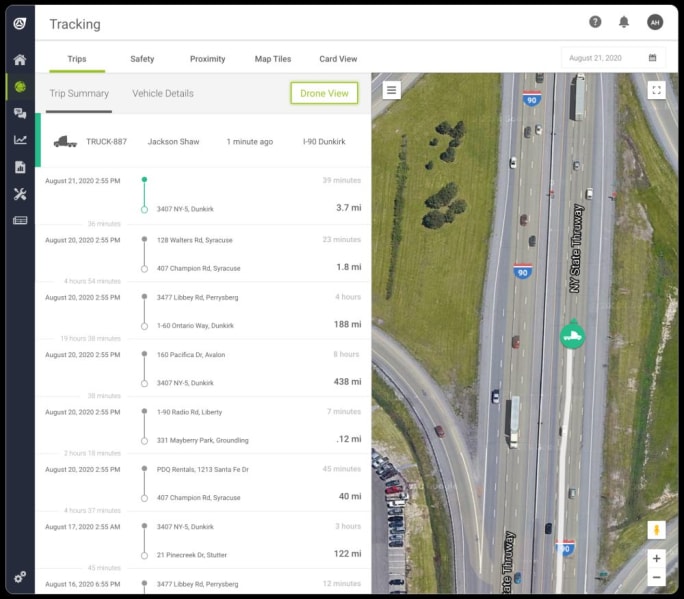
The Drone View function in TN360 allows you to launch a ‘virtual drone’ to follow a vehicle in real-time. Get immediate visibility into that vehicle’s location and trip summary.
Image: Teletrac Navman
Smart Intuition
Due to the use of advanced AI analytics, the system is continually reading environmental cues, not just data pre-programmed into it.
This means the system is scanning for stop signs, even in a truck yard. It’s also checking for speed limits. An area may typically be 35 mph, but if there is road work or construction, temporary signs and speed limits may not be tracked in a database. TN360 will read those speed limits and apply the information immediately to the actions of the driver.
TN360 allows you to create custom forms for checklists such as bill of lading (BOL), proof of delivery (POD), inventory lists, and more. The forms built and the forms builder can be found under the settings menu, forms option. The checklist builder is also found as an option in the settings menu.
“This digitizes your entire operation, so drivers aren’t fumbling around stacks of paperwork. In addition, because you are digitizing the documents, as soon as they sign on it and its processed, it immediately goes to the back office. If you use our automation platform, it feeds the information into your ERP system. This effectively shortens your billing cycle due to the reduction of processing manual paperwork,” Encinas explained. “We then take this info and feed it into our analytics system and can analyze the efficiency of a business operation overall.”
Additionally, the system can dig into the altitude the driver is at. This allows you to take a look at a speeding event and determine if they were driving dangerously and being rough on the vehicle speeding uphill, or if they are going downhill and speeding slightly but aren’t wearing out the brakes on the truck.
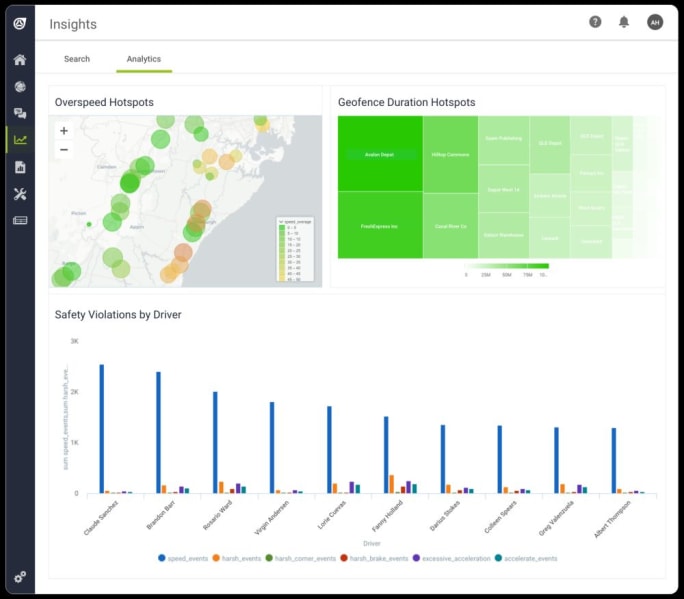
Using the power of AI, the customizable analytics dashboards in TN360 provide a quick hotspot snapshot of what matters most in real time, easily turning your data into impactful decisions.
Image: Teletrac Navman
The more data the system has, the more it can help. TN360 can also connect to many other data platforms used by fleets. Also, it can be connected currently with three automated platforms: IFTTT, Zapier, and Amazon Alexa.
IFTTT, or “if this, than that” solutions, trigger automated actions for a fleet. For example, you can set up the system to trigger billing once a service is performed.
Zapier is an online automation tool that connects apps such as Gmail, Slack, and Mailchimp. The tool provides access to plug-ins without the need of a developer on staff.
Alexa is probably the most exciting of all of these connected platforms, allowing the fleet manager to ask questions about the status of their fleet without having to be in front of a computer.
“The digital transformation of the mobile asset and fleet management space has only just begun,” said Jens Meggers, president of Teletrac Navman. “Artificial intelligence, scalable cloud technology, real-time computer vision sensors, and easy-to-use smart data analysis are completely changing the telematics market. We are at a pivotal step in the industry, digitizing vertical industries, unlike any time before.”

Viewing your fleet through the lens of a safety manager is made easy in TN360. Click on any vehicle under the safety tab and get a real-time view of all safety incidents happening as they happen.
Image: Teletrac Navman
TN360 is available immediately in the United States, Australia, New Zealand, and the United Kingdom. Global ordering and availability in Mexico and South America will follow in Q4 2020.
Topics:Data AnalyticsIn-Cab CamerasTeletrac NavmanData ManagementArtificial IntelligenceAITelematicsGlobal Fleet
Originally posted on Work Truck Online
More Telematics
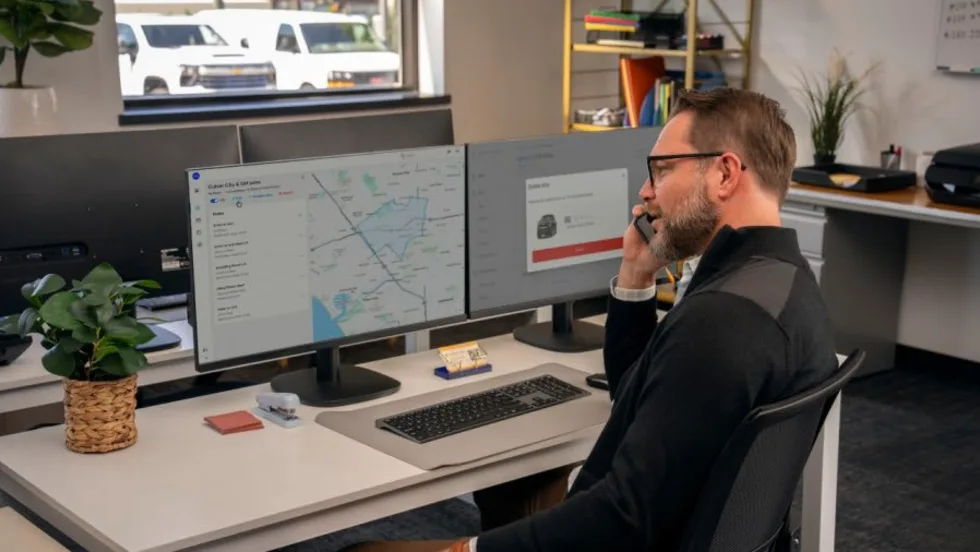
GM Launches OnStar Fleet Intelligence Platform With AI Assistant
The new platform brings vehicle data, order tracking, connected services and fleet analytics into one system, with an AI assistant that can answer fleet questions using natural-language prompts.
Read More →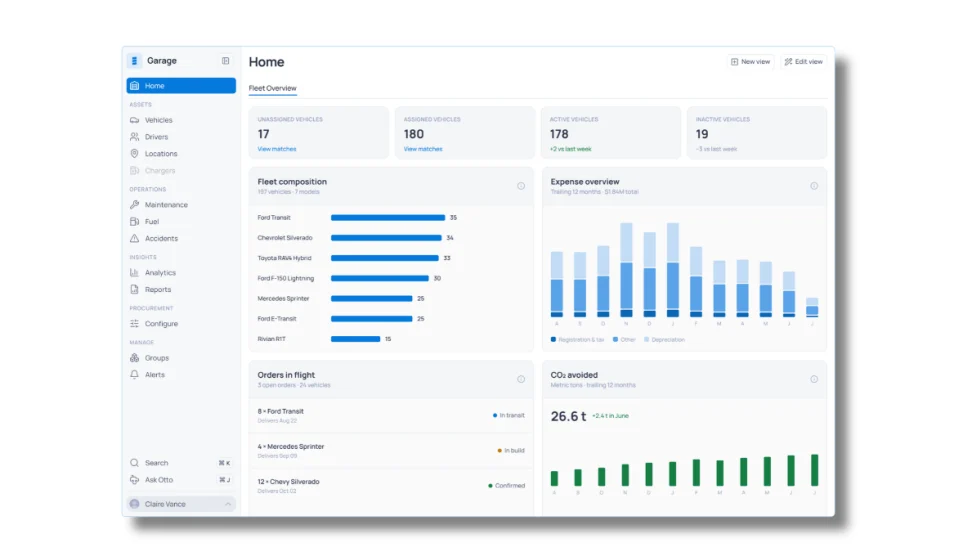
Inspiration Fleet Introduces Garage 2.0 Fleet Intelligence Platform
Fleet managers increasingly have access to data from vehicles, telematics, fuel, charging, and other systems, but those sources don't always communicate with one another. Inspiration Fleet's Garage 2.0 platform brings that information together while letting fleets keep working with different technology and service providers.
Read More →
Inside Inspiration Fleet’s New Platform for Connecting Fleet Data
Inspiration Fleet CTO Chris Getner explains how the new Garage 2.0 platform is designed to connect disparate fleet data and what that could mean for fleet managers in practice.
Read More →
Sponsored•October 1, 2026
Fleet Manager’s Ultimate Playbook: Navigating the New Standard in OEM Connectivity
Rising operating costs, driver safety concerns, and unplanned downtime are putting unprecedented pressure on modern fleets. Discover how fleet managers use embedded OEM connectivity and real-time vehicle data to cut TCO, prevent downtime, and protect drivers without aftermarket telematics hardware.
Read More →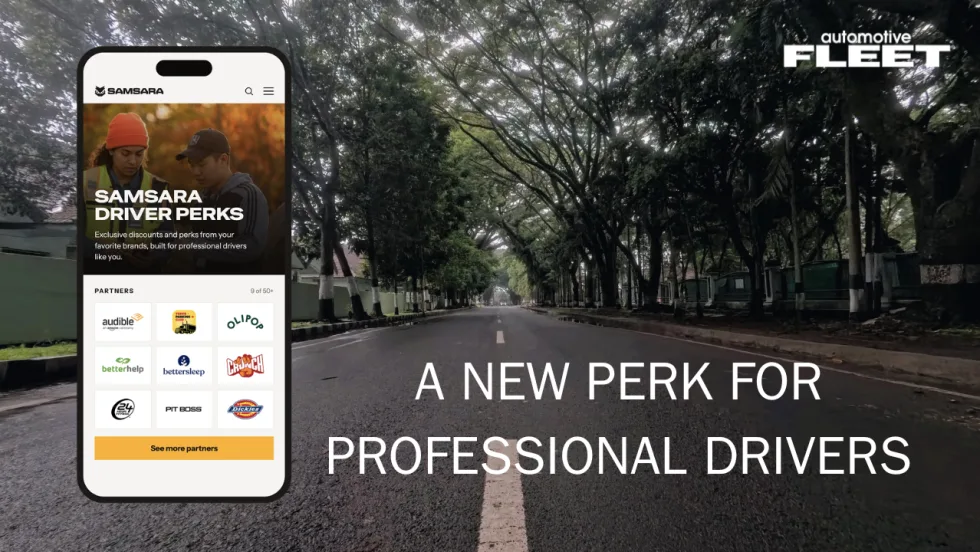
Samsara Driver Perks Adds New Benefit for Corporate Fleet Drivers
The rewards program gives eligible professional drivers access to discounts from more than 50 brands while giving fleets another way to support recruitment, retention, and the driver experience.
Read More →
Inside the Church of Jesus Christ of Latter-day Saints’ Two-Track Telematics Strategy
With 20,000 vehicles and two fundamentally different driver populations, the Church faced a fleet management problem that a single telematics program couldn't solve. How it responded offers a replicable framework for any fleet where one size doesn't fit every driver.
Read More →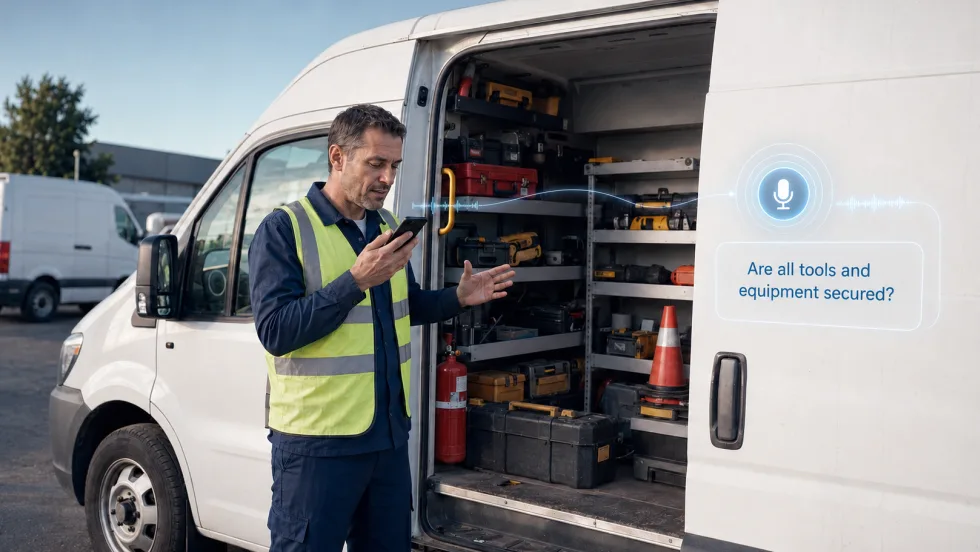
How Conversational AI Can Make Fleet Tasks Easier for Drivers
While most generative AI tools help fleet managers interpret data at their desks, Connex2X is applying voice interaction to tasks behind the wheel.
Read More →
Why Fleets Are Creating Dedicated Fleet Analyst Positions
Are fleet analyst positions the new norm? Listen here to find out.
Read More →
Teletrac Navman Begins Next Chapter as Standalone Private Company
What's new with Teletrac Navman and its new owner?
Read More →
Why Fleets Are Creating Dedicated Fleet Analyst Positions
Telematics, AI, EVs, and connected technologies are generating more fleet data than traditional teams can effectively manage. Reed Jackson explains why dedicated fleet analytics roles are emerging to turn that information into better operational decisions.
Read More →