The editorial staffs of Automotive Fleet and Business Fleet teamed up and jumped feet
first into telematics tracking with GM’s new Commercial Link solution. The results and
implications of this real-world test were eye opening.
by Chris Wolski & Chris Brown
September 5, 2016
Screencap of Commercial Link service
6 min to read
Screencap of Commercial Link service
In June 2016, the editorial staffs of Automotive Fleet and Business Fleet teamed up to conduct a real-world test of GM’s Commercial Link solution.
Ad Loading...
Designed primarily for small fleets (see sidebar), Commercial Link allows fleet managers and business owners the kinds of hands-on access to data that is more typically reserved for those operating large fleets at a price point that makes return on investment (ROI) attractive.
Ad Loading...
Automotive Fleet and Business Fleet editors assumed the role of either a fleet driver or fleet manager during the test, giving further insight into how these different groups view and interact with telematics solutions.
Monitoring Drivers
There were two vehicles used for the test, a Cadillac CT6 and a GMC Sierra pickup. The car and the truck were traded among three editors: Chris Brown, executive editor of Business Fleet, Amy Hercher, senior editor of Business Fleet, and Paul Clinton, senior web editor. Chris Wolski, managing editor of Automotive Fleet, took on the role of fleet manager.
While there were no limits on time of day, days of the week, or range for the vehicles, all of the drivers knew they were being monitored by Commercial Link. To add a sense of realism to the test, several alerts, including excessive speed, tire inflation, and fuel level were set up. Both vehicles were also set with a geofence of about two miles — primarily to guarantee that alerts would be triggered regularly (all of the drivers live more than two miles from the office, so there was an expectation that they would operate outside the bounds of the geofence daily).
While bad behavior, such as speeding, was limited, there were still alerts triggered for speeding, most notably for Brown who exceeded the maximum speed limit of 75 mph by one or two miles per hour on several occasions.
“While I was aware that I was being monitored, being told about these events was helpful in being consistent about my driving habits,” Brown said.
Ad Loading...
A fuel alert was set to be triggered when the tank registered half full. While it was expected that the test drivers were fully capable of monitoring fuel use and fill up when they needed to, this ability to monitor fuel, both the level, and, as a consequence, when a vehicle was fueled has some important implications for fleet use. This helped to not only monitor the amount of fuel being used, but, more important, when and how much a driver may be putting into the vehicle, helping to combat slippage to outright theft of fuel.
“Commercial Link does an effective job of tracking fuel use, and Chris [Wolski] was able to pass along updates about how full the tank was. This tool provides hard, actionable data,” observed Clinton.
Route analysis was another feature that was put to the test. While no one in the test group had a fixed route they had to travel, routes were analyzed for anomalies.
Hercher had a 120-mile roundtrip during the test period. The trip required driving straight through with no scheduled stops. On the return trip, there was an anomaly. Hercher went off the set route for several miles.
The analysis showed that she hadn’t stopped the vehicle, so it was assumed that she had taken a wrong turn, since she returned to the expected route; she verified this was the case when she was asked about it.
Ad Loading...
The mapping feature can be used in real time via the dashboard to monitor a driver’s location to see if he or she is in traffic and can’t take or return a phone call or e-mail, if he or she is too far away to make a set meeting, or how close to an appointment address he or she may be.
Commercial Link Provides Transparency Efficiently
General Motors’ Commercial Link solution is designed for small fleets looking for a way to implement a telematics solution in a cost-effective way.
Launched earlier this year, the subscription-based system, which fleets can sign up for a 30-day free trial, is available on most Chevrolet, Buick, GMC, and Cadillac vehicles MY-2015 or later, according to Phil Caruso, marketing manager for General Motors Fleet.
Commercial Link uses data provided by the embedded OnStar hardware, and can provide a detailed, near real-time view of vehicle operations, according to the automaker.
The Commercial Link app, which launched this summer, is available for iPhone and Android devices, giving fleet managers or business owners connectivity to the system in or out of the office day or night.
Alerts can be set for the entire fleet or for individual vehicles for maintenance, fueling, speeding, and other thresholds. When alerts are triggered they are sent directly to the fleet manager.
Currently, the cost of Commercial Link is as little as $10/vehicle/month with the activation of the vehicle’s OnStar Basic Plan.
While the mapping feature makes the driver accountable for deviations from the route, factoring it in tandem with other features, helps give the driver peace of mind while making him or her accountable to the fleet manager. Such features include — as in Hercher’s case — showing the vehicle remained in motion, or, if the vehicle did stop, it was related to a problem such as low fuel, low oil, or low tire pressure that needed to be addressed.
“It was interesting to see the map of my journey, and how it accurately showed that I took a wrong turn and how it verified that I got back on the route as soon as possible,” Hercher said. “If I was a fleet driver, I’d feel very confident that there was accurate evidence to back me up if I had any reasonable route anomalies.”
On the fleet manager side, the alerts, while useful, did show the need to make some adjustments. For instance, while it was known that there would be a geofence violation for each driver every day, the violation alert was triggered every time the vehicle was turned on, which, particularly on weekends, could become a little taxing.
“I found that flexibility is probably the key to using the alerts,” Wolski observed. “Since each vehicle could be set for individual alerts, they could be used as a way to monitor drivers who are exhibiting risky or non-compliant behavior, and geofence alerts could and probably should be set a couple times a day. ”
Ad Loading...
Crunching the Numbers
While Commercial Link showed how useful it could be to fleets on a day-to-day basis, it really showed its worth when reporting about the operations of each vehicle.
For instance with a touch of a dashboard button, the team was able to see, at a glance, which vehicles had the most alerts and used the most fuel. While this may be tied solely to behavior — the driver of one vehicle is more reckless or inefficient than another — in the Automotive Fleet and Business Fleet test, it showed how useful Commercial Link could be in evaluating TCO. The dashboard quick glance could also be used as a simplified version of gamification with accolades and/or prizes going to the drivers with the fewest number of alerts and who used the least amount of fuel for a set period.
As indicated by Brown’s experience, the CT6 had the most alerts of both of the tested vehicles, with the Sierra not having a single speeding incident during the test period.
Fleet managers can also drill down into alerts to see when and where they happened. Alerts are referenced on the day’s trip map.
There are six detailed reports available from Commercial Link: notifications, trip summary, trip details, expenses summary, expenses details, and vehicle’s current status. Reports can be run for all fleet vehicles in a single report or for each vehicle separately. Reporting is automatized with the data being exported into an Excel spreadsheet.
Ad Loading...
For the test vehicles, the reporting showed that the CT6 used the most fuel among the testers, which could be related to the high-speed incidents previously noted and/or the higher number of miles it was driven compared to the Sierra (812 miles compared to 506 for the Sierra).
While detailed expenses weren’t monitored during the test, the reporting does allow for the inclusion of expenses related to fuel, parking, maintenance, and miscellaneous costs to give the fleet manager a detailed overview of vehicle TCO.
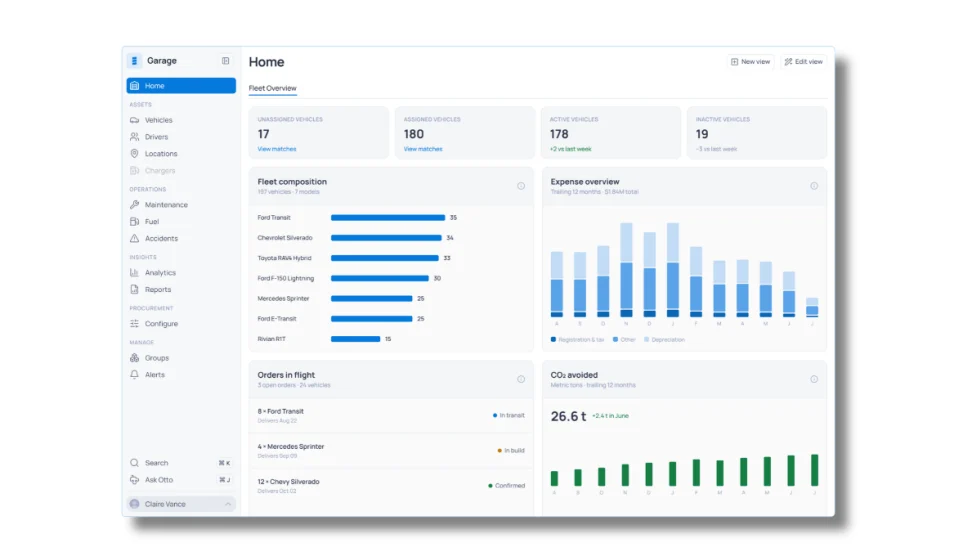
The new platform brings vehicle data, order tracking, connected services and fleet analytics into one system, with an AI assistant that can answer fleet questions using natural-language prompts.
Fleet managers increasingly have access to data from vehicles, telematics, fuel, charging, and other systems, but those sources don't always communicate with one another. Inspiration Fleet's Garage 2.0 platform brings that information together while letting fleets keep working with different technology and service providers.
Inspiration Fleet CTO Chris Getner explains how the new Garage 2.0 platform is designed to connect disparate fleet data and what that could mean for fleet managers in practice.
Rising operating costs, driver safety concerns, and unplanned downtime are putting unprecedented pressure on modern fleets. Discover how fleet managers use embedded OEM connectivity and real-time vehicle data to cut TCO, prevent downtime, and protect drivers without aftermarket telematics hardware.
The rewards program gives eligible professional drivers access to discounts from more than 50 brands while giving fleets another way to support recruitment, retention, and the driver experience.
With 20,000 vehicles and two fundamentally different driver populations, the Church faced a fleet management problem that a single telematics program couldn't solve. How it responded offers a replicable framework for any fleet where one size doesn't fit every driver.
Telematics, AI, EVs, and connected technologies are generating more fleet data than traditional teams can effectively manage. Reed Jackson explains why dedicated fleet analytics roles are emerging to turn that information into better operational decisions.