



Hyundai Offers DIY Android Auto for Sonata
Owners of the 2015 Sonata mid-size sedan with navigation can now add the Android Auto smartphone integration software at no charge at MyHyundai.com.
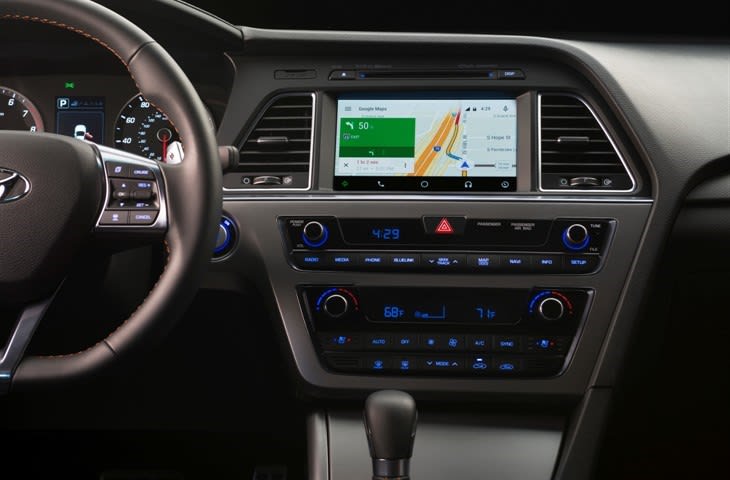
Photo courtesy of Hyundai.
Photo courtesy of Hyundai.
Owners of the 2015 Sonata mid-size sedan with navigation can now add the Android Auto smartphone integration software at no charge at MyHyundai.com.
The software, which is also available at Hyundai dealerships, launches Hyundai's roll-out of the Android Auto, which will soon expanding to other models. The Android Auto-compatible navigation system with an eight-inch touchscreen display is available on the Sonata Sport, Eco, Limited, Sport 2.0T and Limited 2.0T models.
Android Auto helps keep drivers' eyes and attention on the road by integrating the advanced driving-related functions of the user’s smartphone with the familiar centralized screen, physical controls and microphone of their car. The smartphone’s screen becomes locked, so drivers are not tempted to look down and interact with their phones.
Owners will need the Android 5.0 Lollipop operating system or later, and the Android Auto app on their compatible phone to utilize Android Auto in the Sonata. A micro USB cable is required to connect the phone to the car. The first time an owner plugs his or her phone into their parked Sonata, the phone will prompt the download of the Android Auto companion app from the Google Play.
Users of Android Auto will instantly recognize familiar Android phone applications, such as Google Maps, Google Now, messaging, phone calling and Google Play Music upon connecting their Android phone to their Hyundai vehicle.These applications can be controlled by voice, steering wheel controls and touchscreen.
Android Auto also will offer many popular third-party audio apps that owners have on their phones. Owners can find out up-to-date information about phone compatibility at through Google Support for Android Auto.
To obtain the software, visit the MyHyundai owner’s site. Sonata owners are also encouraged to watch the "How to Set Up Android Auto" video for instructions on how to download the software and install it in their compatible vehicles.
More Operations
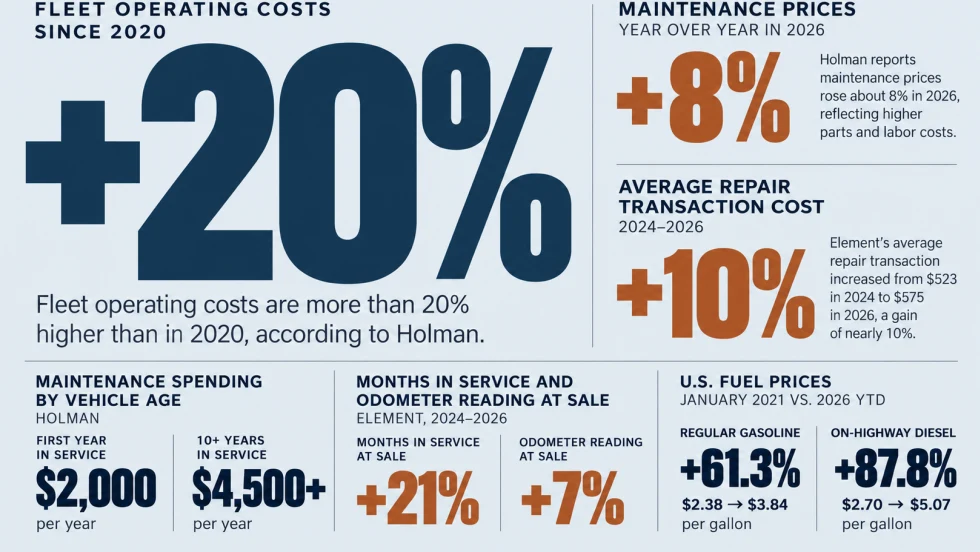
Managing Fleet Costs in an Era of Permanent Volatility
Fleet operating costs have risen more than 20% since 2020, raising a key question: When does extending a vehicle's service life stop making financial sense?
Read More →
The Next Evolution of Fleet Management: Autonomous Operations
This opening keynote session at the Fleet Forward Conference highlights the future of autonomous driving for fleets.
Read More →
How to Reduce the Total Cost of Risk From Catalytic Converter Theft
A stolen catalytic converter can cost fleets far more in downtime and lost productivity than in repairs. A total-cost-of-risk approach can help fleet managers quantify their exposure and prioritize theft prevention.
Read More →

Personal-Use Charges Rise as Vehicle Values Fall | AF News Recap
Personal-use charges are climbing, wholesale used-vehicle values are declining, and commercial fleet sales growth is slowing. This week, we're breaking down the latest fleet data, plus how Element Fleet Management is helping Waymo prepare for its first Canadian robotaxi market.
Read More →
Here's When You Should Make an Exception to Fleet Policy
Fleet policies are designed to create consistency, but not every driver or situation fits neatly within standard rules.
Read More →
AI-Native or AI-Acquired: What Should Fleet Managers Look for in an AI Platform?
Six questions can help fleet managers look beyond AI marketing claims to evaluate integration, data access, and real-world operational performance.
Read More →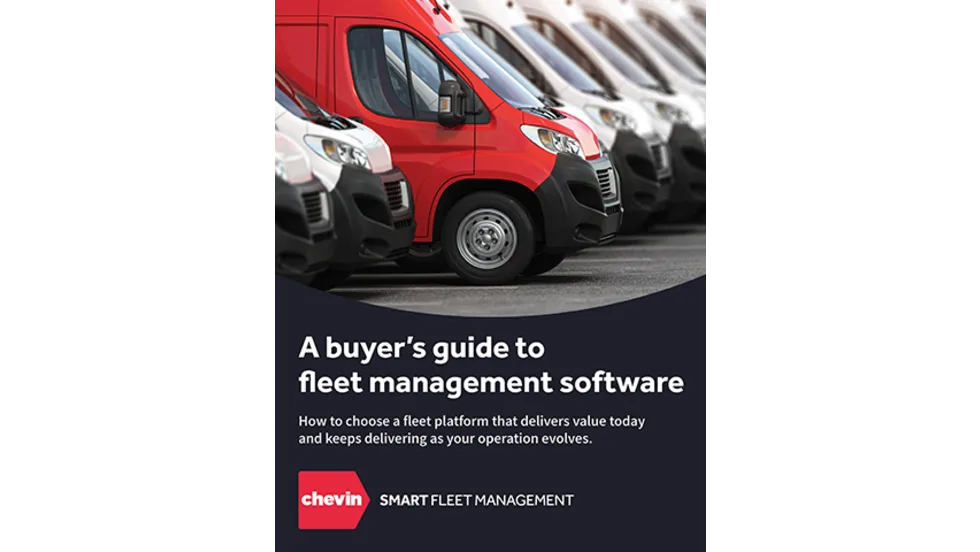
A buyer's guide to fleet management software in 2027
Buying fleet management software in 2027 means looking beyond features and price. As fleet operations, technology and expectations evolve, this guide explores what today’s fleet professionals should consider when choosing a system that can deliver value now and adapt to what comes next.
Read More →
What Will Shape the Next Era of Fleet Management?
EVs, AI, and autonomous vehicles are reshaping fleet management. Discover what’s ahead—and how fleet leaders can prepare for the next era.
Read More →
How Fleets Can Recruit and Train Veterans for Technician Roles
Here's how the technician shortage has affected uptime for fleets, and what to do about it.
Read More →
Avis Budget Group Deploys Neology Toll Management Technology Across Major Brands
Neology’s neoFleet platform will manage toll transactions and toll-authority operations for vehicles across Avis, Budget, Payless, Budget Truck and Zipcar.
Read More →